
Open source · Free · Local-first

Design visually.
Ship real code.

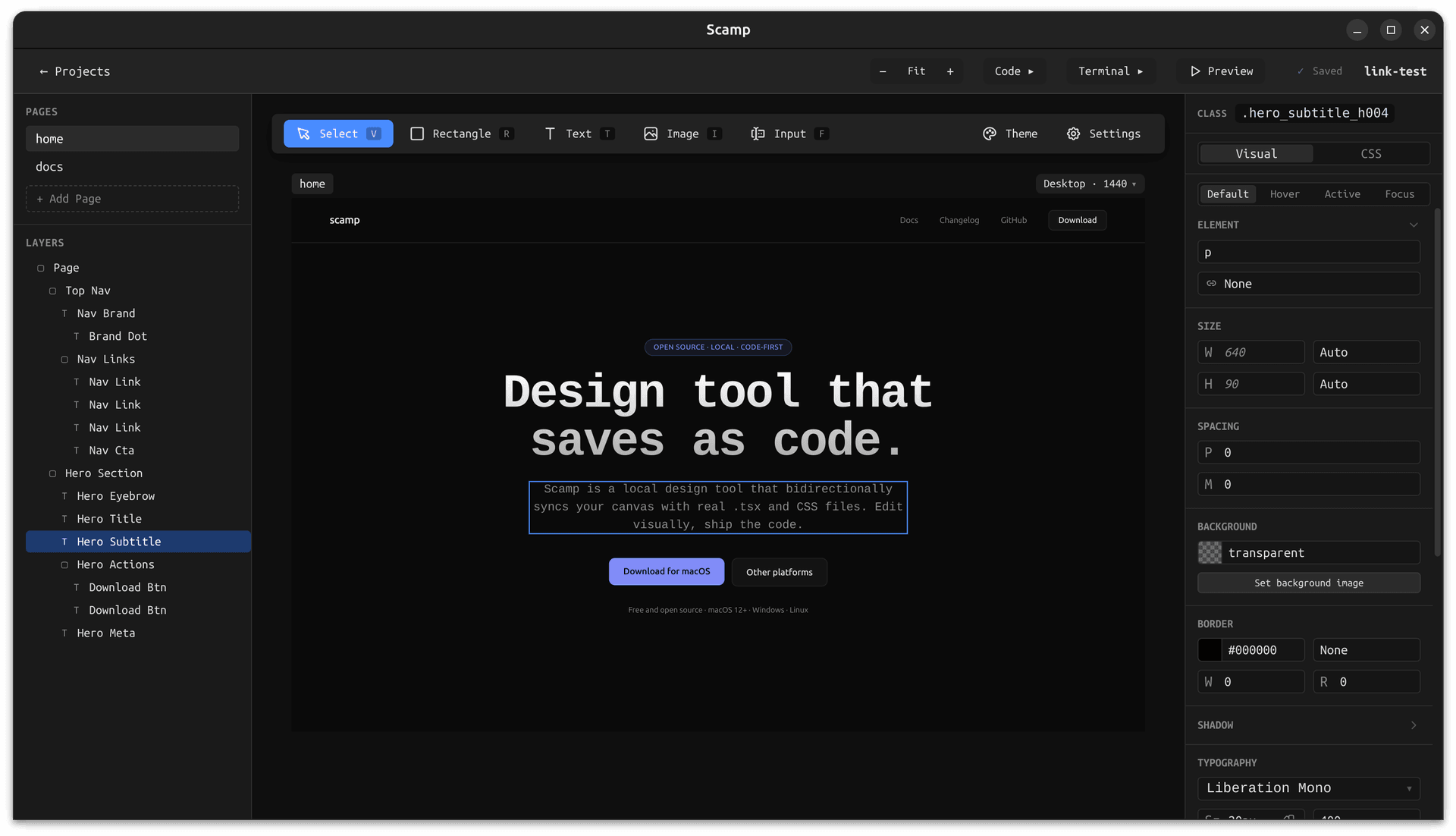
Scamp is a local-first design tool for designers and developers. Draw rectangles, set flex layouts, and style elements. Your design saves as real TSX and CSS Modules files, stored exactly where you want them.

Scamp app showing a layers panel, canvas with a landing page design, and the CSS inspector panel open

Free and open source — MIT licensed. Your files stay on your machine.

Real output

Your design is the code.

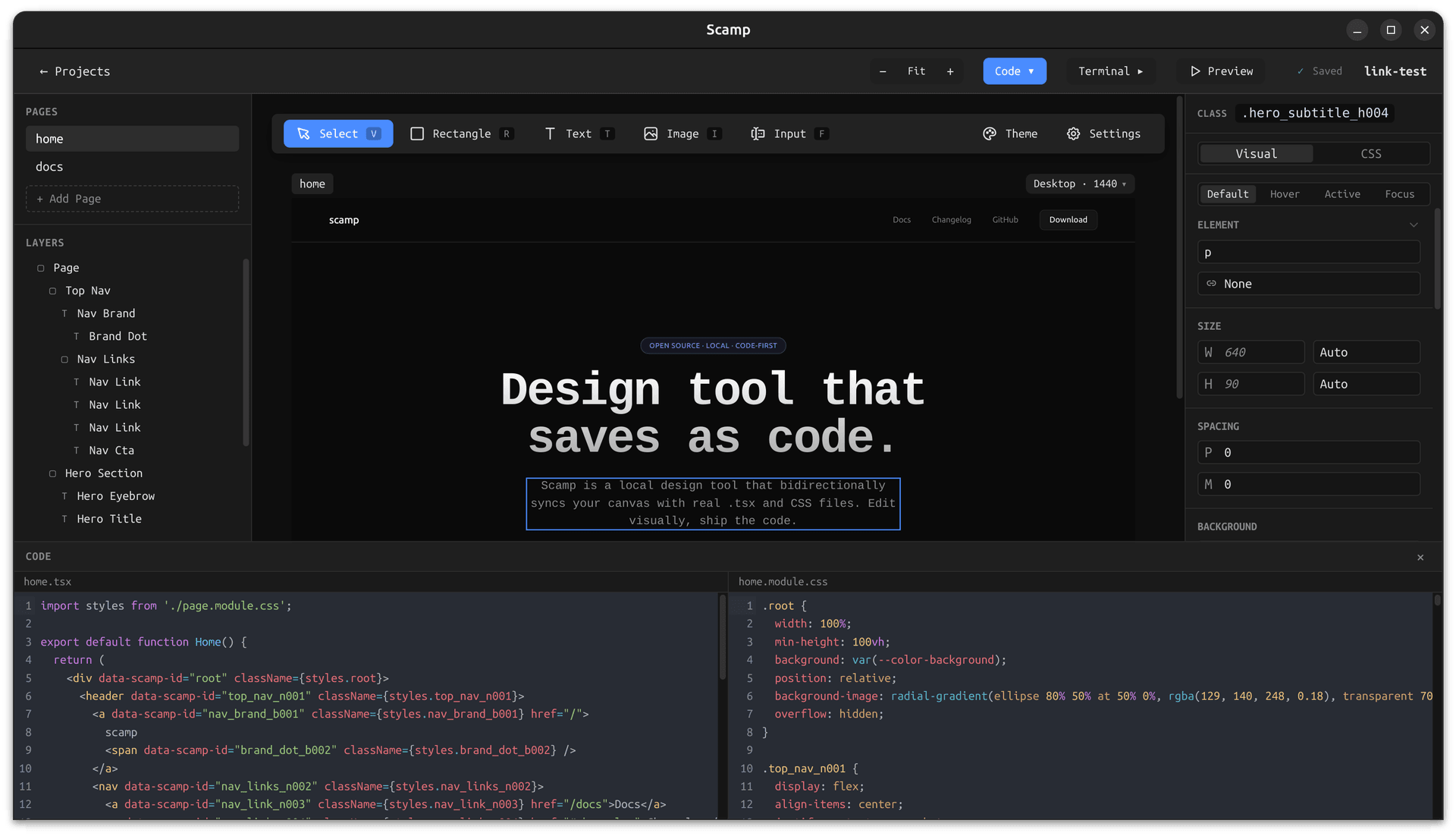
Every rectangle you draw becomes a real div. Every style you set becomes a real CSS class. Scamp doesn't export or compile, it just writes files. Open your project in any editor and the code is already there, exactly as you'd write it yourself.

Scamp with the code panel open, showing the generated TSX and CSS Modules files for the current design
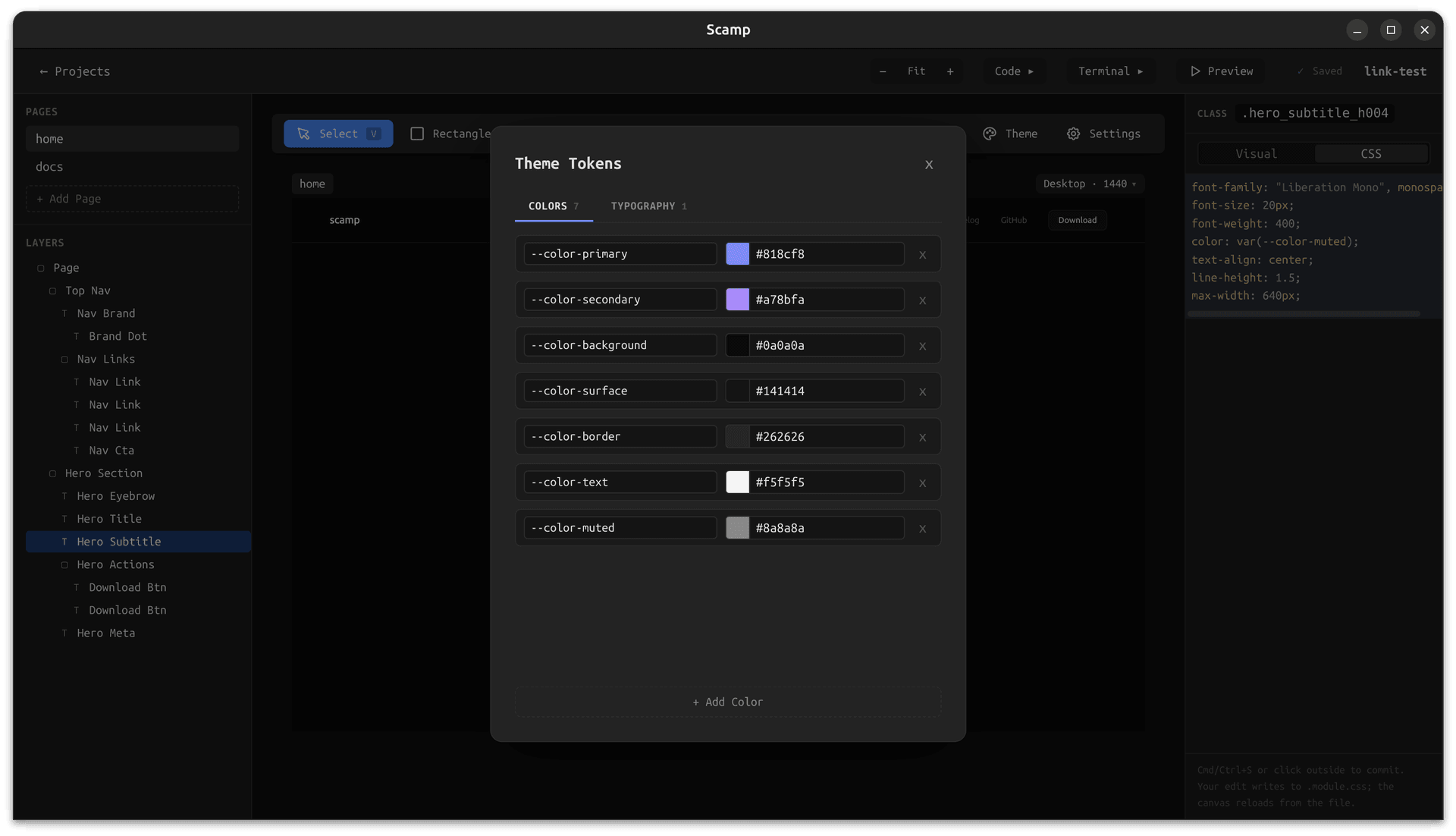
Scamp with a theme tokens modal open, editing CSS custom properties that update the canvas live

Bidirectional sync

Edit code, see it live.
Edit visually, see the code.

Scamp watches your project files. Edit the CSS in your editor, run a coding agent, or change a value directly in the terminal. Scamp picks up the change and updates the canvas instantly. No import step, no sync button. The files are always the source of truth.

Built-in terminal

Run your agent.
Right here.

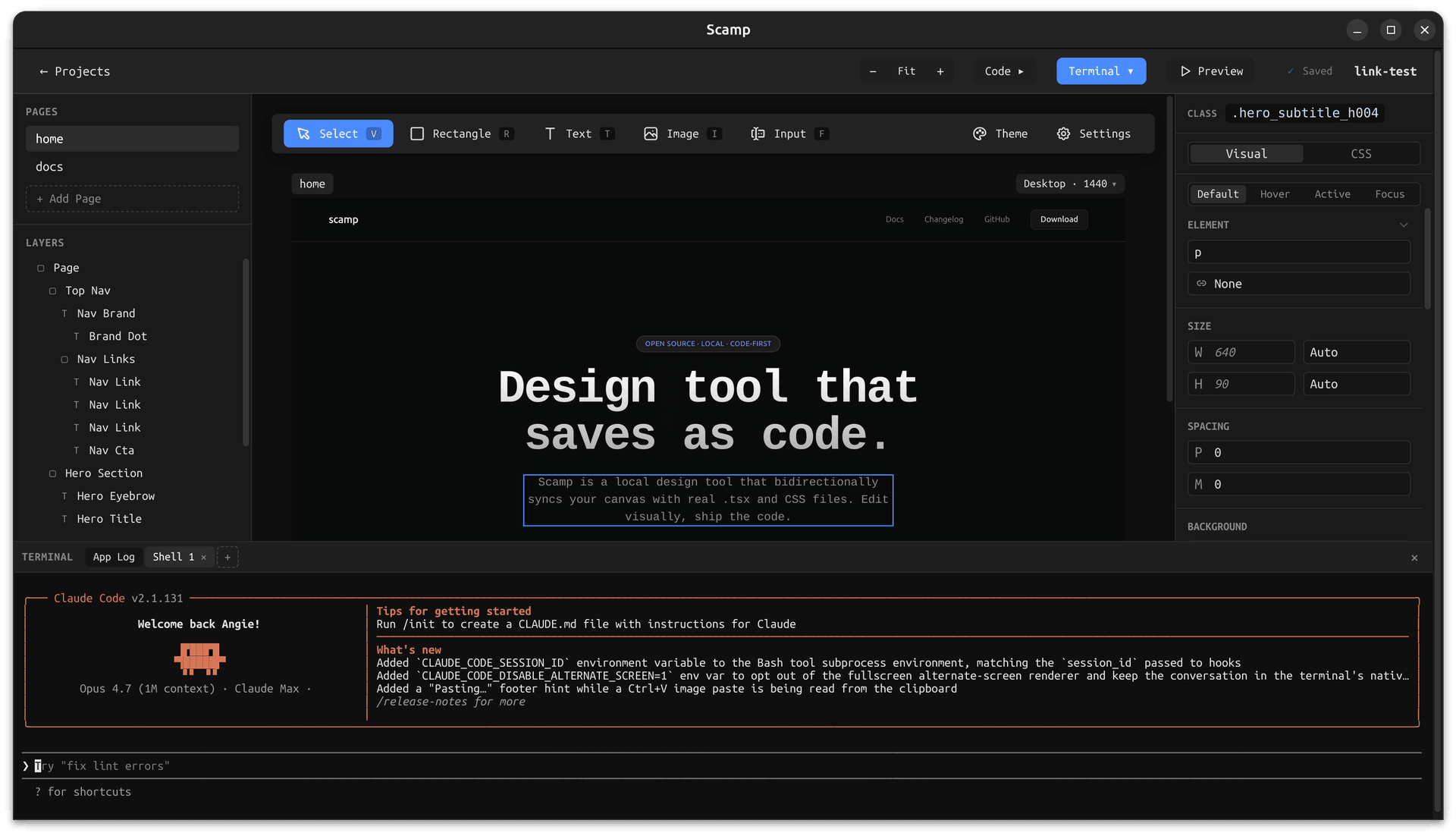
Scamp has a built-in terminal that opens in your project folder. Run Claude Code, Aider, or any coding agent you already use. The agent reads your project's instructions file, edits your layout files, and Scamp reloads the canvas automatically. No copy-pasting. No context switching.

Scamp with the built-in terminal panel open at the bottom, ready to run a coding agent in the project folder

Opens in your project folder

No setup. The terminal starts in the right place every time.

Reads agent.md automatically

Your project conventions are always in the agent's context.

Canvas reloads on every save

Agent edits show up on the canvas without touching it.

Local-first

No cloud. No account.
Just a folder.

Scamp saves to wherever you tell it. Put your project inside an existing git repo, a client folder, or anywhere on your machine. Every page is just a TSX file and a CSS Modules file. You can open them in VS Code, commit them to GitHub, hand them to a teammate, or ship them directly, no export, no lock-in.

Works with git

Your project is a real folder. Commit, branch, and PR like normal.

No account needed

Download and open a project. That's it. No login, no subscription.

Standard file format

TSX and CSS Modules. Nothing proprietary, nothing custom.

Download Scamp.

Free and open source. No account required.

macOS

Apple Silicon
macOS 12+

Coming soon

Windows

Windows 10+
x64

Coming soon

Linux

.deb / .AppImage
x64

Coming soon

v1.0.0 · Release notes · View source on GitHub ↗

Or build from source:

git clone https://github.com/angiehemans/scamp
cd scamp && npm install && npm run build